
Blog

  • Temporary Email

    Temporary Email

    In today’s digital world, almost every website asks for your email address. Whether you are signing up for a newsletter, downloading an eBook, accessing a free trial, or registering on a forum, your inbox quickly becomes a target for spam, promotional emails, and even phishing attempts. This is where a Temporary Email becomes an incredibly useful tool.
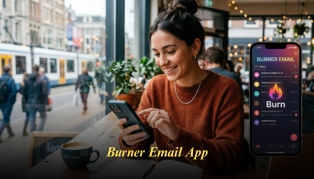
    A Temporary Email allows you to receive emails for a short time without exposing your real email address. It acts as a protective shield between your personal inbox and the internet. If you are concerned about privacy, security, or simply keeping your primary inbox clean, using a Temporary Email can be a game changer.

    Let’s explore what a Temporary Email is, how it works, and why more internet users are adopting it as part of their daily online habits.

    What is a Temporary Email?

    A Temporary Email, also known as a disposable email address, is an email address that exists for a limited period. You can use it to receive verification emails, activation links, or one-time messages without revealing your personal or work email.

    Once you are done using it, the address automatically expires or can be discarded, leaving no trace behind. This makes Temporary Email services ideal for:

    • One-time signups
    • Testing websites or apps
    • Avoiding marketing emails
    • Protecting personal data from unknown platforms

    Why You Need a Temporary Email Today

    1. Avoid Spam Overload

    Many websites sell user data or send endless promotional emails after registration. A Temporary Email helps you bypass this problem completely. Your primary inbox remains untouched.

    2. Protect Your Privacy

    Sharing your real email exposes your personal identity. A Temporary Email keeps your identity hidden and secure when browsing unfamiliar websites.

    3. Safe Online Registrations

    You often need to register just to access content. Instead of risking your real email, use a Temporary Email to receive the verification link and move on.

    4. Prevent Phishing and Scams

    Temporary email addresses reduce the chances of phishing attacks targeting your main inbox.

    How a Temporary Email Works

    Using a Temporary Email is extremely simple:

    1. Visit the website offering Temporary Email services.
    2. Instantly get a randomly generated email address.
    3. Use that email address to sign up on any website.
    4. Receive verification emails directly in the Temporary Email inbox.
    5. Let it expire after use.

    No registration, no passwords, and no personal information required.

    Key Features of a Good Temporary Email Service

    When choosing a Temporary Email platform, you should look for the following features:

    • Instant email generation
    • No sign-up required
    • Fast inbox refresh
    • Secure and anonymous usage
    • Automatic email deletion
    • Mobile and desktop compatibility

    All these features make Temporary Email tools highly convenient for daily use.

    Common Use Cases of Temporary Email

    Signing Up for Free Trials

    Many websites require email verification for free trials. Use a Temporary Email to avoid future promotional emails.

    Downloading Resources

    Want to download an eBook, template, or whitepaper without subscribing to newsletters? Temporary Email is your solution.

    Participating in Online Forums

    Forums often require email signups. Keep your personal email safe by using a Temporary Email.

    Testing Apps and Websites

    Developers and testers frequently use Temporary Email to test registration flows without cluttering real inboxes.

    Benefits of Using Temporary Email Regularly

    Cleaner Primary Inbox

    By using Temporary Email for non-essential registrations, your personal inbox stays clean and organized.

    Enhanced Online Security

    Temporary emails reduce the exposure of your real identity online.

    Time-Saving

    No need to unsubscribe from dozens of mailing lists later.

    Hassle-Free Experience

    No need to remember passwords or manage multiple email accounts.

    Temporary Email vs Regular Email

    | Feature | Temporary Email | Regular Email |
    |—|—|—|
    | Lifespan | Short-term | Permanent |
    | Privacy | High | Moderate |
    | Spam Risk | Very Low | High |
    | Registration Needed | No | Yes |
    | Best For | One-time use | Personal/Work communication |

    Is Temporary Email Legal and Safe?

    Yes, using a Temporary Email is completely legal. It is simply a tool to protect your privacy. Many professionals, students, and developers use it daily for legitimate purposes.

    As long as you are not using it for malicious activities, Temporary Email is a smart and responsible way to manage your digital footprint.

    When Should You Avoid Using Temporary Email?

    While Temporary Email is extremely useful, it is not suitable for:

    • Banking services
    • Important account registrations
    • Long-term subscriptions
    • Work or personal communications

    For these, always use your primary email.

    Tips for Using Temporary Email Effectively

    • Use it only for unknown or low-trust websites
    • Do not share sensitive information
    • Refresh the inbox quickly to catch verification emails
    • Avoid using it for accounts you may need later

    Why Temporary Email is Becoming Popular

    With rising concerns about data privacy, spam marketing, and identity theft, more users are turning to Temporary Email services. It gives users control over who can access their real inbox.

    This growing awareness has made Temporary Email a must-have tool for smart internet users.

    The Future of Temporary Email Services

    As online platforms continue to demand email verification, Temporary Email solutions will become even more important. Privacy-focused users are increasingly adopting disposable email services as part of their daily online toolkit.

    Using a Temporary Email is no longer just an option — it’s a necessity for safe browsing.

    Final Thoughts

    In an age where your email address is constantly requested, protecting your inbox is essential. A Temporary Email provides a simple, fast, and effective way to avoid spam, protect privacy, and maintain control over your digital identity.

    If you are tired of spam emails, unwanted promotions, and privacy risks, it’s time to start using a Temporary Email for your online activities.

    Take the first step towards a clutter-free and secure inbox by exploring reliable Temporary Email solutions today.

    👉 Get started now and safeguard your inbox at: https://tempgbox.net/tools

  • Temporary Email for Verification

    Temporary Email for Verification

    In today’s digital world, almost every website, app, and online service asks for an email address for sign-ups, downloads, trials, and registrations. While email verification helps platforms confirm real users, it often leads to spam, promotional emails, and privacy risks for users. This is where Temporary Email for Verification becomes an essential tool.

    A temporary email allows you to receive verification emails instantly without exposing your personal inbox. It’s fast, anonymous, and highly effective for one-time use. If you frequently sign up for websites, test services, or access gated content, using a temporary email can save you from clutter and protect your privacy.

    You can easily generate and use a Temporary Email for Verification from reliable tools like Temporary Email for Verification to experience safe and spam-free online registration.

    What is Temporary Email for Verification?

    A Temporary Email for Verification is a disposable email address that exists for a short period. It is designed specifically to receive verification links, OTPs, and confirmation messages from websites and apps.

    Unlike your personal email, this temporary inbox:

    • Does not require sign-up
    • Expires automatically
    • Keeps your identity private
    • Prevents spam from entering your main inbox

    These temporary addresses are especially useful when you want to access a service without committing your primary email address.

    Why You Need Temporary Email for Verification

    Every time you enter your real email for verification, you risk:

    • Receiving unwanted marketing emails
    • Data being shared with third parties
    • Spam and phishing attempts
    • Inbox overload

    Using Temporary Email for Verification solves all these issues. It acts as a shield between you and the websites requesting your email.

    Key reasons to use it:

    • Protect personal data
    • Avoid spam emails
    • Quick access to verification links
    • Stay anonymous online
    • No registration required

    How Temporary Email for Verification Works

    The process is incredibly simple and user-friendly:

    1. Visit a temporary email generator.
    2. Instantly get a disposable email address.
    3. Use this address for website verification.
    4. Receive the verification email in the temporary inbox.
    5. Complete your sign-up.
    6. Let the email expire automatically.

    You don’t need passwords, logins, or personal details.

    Benefits of Using Temporary Email for Verification

    1. Spam Protection
      Your primary inbox stays clean. Since you don’t use your personal email, you avoid newsletters, ads, and unwanted emails.
    2. Privacy and Security
      You never reveal your real identity, which minimizes data tracking and misuse.
    3. Instant Access
      No waiting for account creation. You get an email address instantly.
    4. One-Time Use Convenience
      Perfect for trial services, downloads, or one-time access.
    5. Safe Testing Environment
      Developers and testers use temporary emails to test signup flows without cluttering real inboxes.

    When Should You Use Temporary Email for Verification?

    A Temporary Email for Verification is useful in many everyday scenarios:

    • Signing up for free trials
    • Downloading eBooks or software
    • Accessing gated content
    • Participating in forums or communities
    • Testing apps or websites
    • Avoiding promotional emails
    • Registering on unfamiliar websites

    Is Temporary Email for Verification Legal and Safe?

    Yes, using a temporary email is completely legal. It is simply a tool that protects your privacy. Many users, developers, marketers, and testers rely on it daily.

    However, it should be used ethically — not for harmful or illegal activities.

    Temporary Email vs Personal Email: Key Differences

    | Feature | Temporary Email for Verification | Personal Email |
    | — | — | — |
    | Lifespan | Short-term | Permanent |
    | Spam Risk | None | High |
    | Privacy | High | Moderate |
    | Sign-up Required | No | Yes |
    | Best Use | Verification, trials | Personal communication |

    Common Misconceptions About Temporary Email for Verification

    “Temporary emails are only for hackers”
    False. They are privacy tools used by millions of regular users.

    “They don’t receive verification emails”
    They are specifically designed for receiving verification emails instantly.

    “They are complicated to use”
    In reality, they are extremely simple and require no technical knowledge.

    Tips for Using Temporary Email for Verification Effectively

    • Use it only for non-critical accounts
    • Do not use for banking or personal services
    • Copy verification links quickly before expiry
    • Refresh inbox if email is delayed
    • Use reliable platforms for best performance

    Who Benefits Most from Temporary Email for Verification?

    Students
    Signing up for study materials, forums, and downloads.

    Developers & Testers
    Testing email workflows and app signups.

    Digital Marketers
    Accessing gated content without clutter.

    Everyday Users
    Avoiding spam and protecting privacy.

    Why Temporary Email for Verification is Growing in Popularity

    As data privacy concerns grow, more users are looking for ways to control their digital footprint. Temporary emails provide a practical solution. With rising spam, phishing, and data leaks, users prefer safer methods to interact online.

    This growing awareness has made Temporary Email for Verification a popular tool among internet users worldwide.

    Best Way to Use Temporary Email for Verification

    The easiest way is through trusted tools that offer instant access and clean interface. You can generate a working disposable email from Temporary Email for Verification and start using it within seconds.

    No downloads, no signups, and no complications.

    Final Thoughts

    A Temporary Email for Verification is no longer just an optional tool — it’s a necessity in today’s internet landscape. It protects your privacy, saves your inbox from spam, and gives you freedom to explore online services safely.

    Whether you are signing up for a new app, downloading a resource, or testing a service, a temporary email ensures you stay anonymous and secure.

    Start protecting your inbox today. Visit https://tempgbox.net/tools and experience the convenience of a spam-free and secure verification process.

  • Temporary Email App

    Temporary Email App

    In today’s digital world, every website asks for your email address. Whether you’re signing up for a newsletter, downloading a resource, testing a service, or joining a forum, your inbox quickly becomes a target for spam, promotions, and unwanted emails. This is where a temporary email app becomes an essential tool for internet users who value privacy, security, and convenience.

    A temporary email app provides you with a disposable email address that can be used for short-term purposes without exposing your personal inbox. It acts as a protective layer between you and the online world, helping you avoid spam, phishing attempts, and data misuse.

    If you want to experience a safer and clutter-free online life, explore a reliable temporary email app designed to make digital interactions secure and effortless.

    What Is a Temporary Email App

    A temporary email app is a service that generates a disposable email address for a limited time. This address can receive emails like a regular email account, but it automatically expires after a set duration. You don’t need to register, provide personal details, or remember passwords.

    These apps are especially useful when you need to verify accounts, download content, or sign up for services without using your primary email address.

    Why You Need a Temporary Email App Today

    1. Protect Your Personal Inbox from Spam
      Websites often sell or misuse email data, resulting in spam overload. A temporary email app prevents your primary inbox from being flooded with promotional and unwanted emails.
    2. Enhance Online Privacy
      Using a disposable email keeps your real identity hidden. This is crucial when accessing unknown or untrusted websites.
    3. Prevent Phishing and Scams
      Temporary emails reduce the risk of phishing attacks targeting your personal email.
    4. No Registration Required
      You can instantly generate an email without sign-up, passwords, or personal information.
    5. Ideal for One-Time Signups
      Need to download a file or verify a service? A temporary email app is perfect for such short-term needs.

    How a Temporary Email App Works

    A temporary email app functions in a simple way:

    1. Generate a temporary email address instantly.
    2. Use the address to sign up or verify accounts.
    3. Receive emails in the app’s inbox.
    4. Let the email expire automatically after use.

    This seamless process makes it one of the most convenient privacy tools available online.

    Key Features of a Good Temporary Email App

    When choosing a temporary email app, look for these essential features:

    • Instant email generation
    • No registration or login
    • Real-time inbox updates
    • Auto-deletion of emails
    • Secure and private browsing
    • User-friendly interface
    • Multiple domain options

    You can try these features through this efficient temporary email app built for secure and instant use.

    Benefits of Using a Temporary Email App

    Save Time

    No need to create permanent email accounts for short tasks.

    Avoid Data Tracking

    Many websites track users through email. A temporary email stops this tracking.

    Keep Your Inbox Clean

    No more clutter from subscriptions and promotional emails.

    Safe Testing Environment

    Test new platforms without revealing personal information.

    Anonymous Communication

    Maintain anonymity when required.

    Common Use Cases for a Temporary Email App

    A temporary email app can be used in multiple real-life scenarios:

    • Signing up for free trials
    • Downloading eBooks or whitepapers
    • Joining online forums
    • Accessing gated content
    • Testing apps and websites
    • Participating in contests
    • Avoiding marketing emails

    Temporary Email App vs Regular Email

    | Feature | Temporary Email App | Regular Email |
    | — | — | — |
    | Privacy | High | Moderate |
    | Spam Risk | Very Low | High |
    | Registration | Not Required | Required |
    | Lifespan | Short-term | Permanent |
    | Security | High for testing | Vulnerable to spam |
    | Convenience | Instant | Setup needed |

    How Temporary Email Apps Improve Cybersecurity

    Cyber threats are increasing daily. Hackers often target email accounts for data breaches. A temporary email app acts as a shield by ensuring that your primary email remains safe from unknown platforms.

    Using disposable emails reduces exposure to malware links, phishing emails, and scam attempts.

    Best Practices While Using a Temporary Email App

    • Use it only for short-term needs
    • Avoid sharing sensitive information
    • Do not use for banking or official work
    • Let emails expire naturally
    • Refresh for a new address when needed

    Who Should Use a Temporary Email App?

    A temporary email app is useful for:

    • Students signing up for resources
    • Developers testing platforms
    • Marketers checking campaigns
    • Online shoppers accessing offers
    • Privacy-conscious internet users

    Why Temporary Email Apps Are Trending

    With rising concerns over data privacy and spam issues, more users are turning to temporary email solutions. The simplicity, privacy, and effectiveness make these apps an essential digital tool.

    People now prefer using a temporary email app instead of risking their primary email exposure.

    How to Start Using a Temporary Email App

    Getting started is easy:

    1. Visit the tool page.
    2. Generate your disposable email instantly.
    3. Use it wherever required.
    4. Let it expire after use.

    No installation or registration is needed.

    Final Thoughts

    A temporary email app is no longer a luxury but a necessity for anyone active online. It protects your privacy, keeps your inbox clean, and shields you from spam and cyber threats. Whether you are signing up for a trial, downloading resources, or exploring new websites, a disposable email ensures your personal inbox remains untouched.

    Start protecting your digital identity today with a secure and efficient temporary email app and enjoy a safer browsing experience.

    Call to Action

    Ready to secure your inbox and maintain online privacy?
    Try this reliable temporary email app now:
    👉 https://play.google.com/store/search?q=tempgbox&c=apps

  • Online Dating Safety: Why You Should NEVER Use Your Real Email on Tinder

    Introduction

    You’ve matched with someone on Tinder. They seem cool. The conversation is going well. But then… they ask for your Instagram. They Google you. Suddenly, they’ve found your Facebook, your LinkedIn, your employer’s website.

    This is called DOXING, and it happens more often than you’d think on dating apps. The scary part? It often starts with your email address.

    Here’s the reality: Your email is like a digital fingerprint. It’s linked to your real name, your social media, your shopping habits, your work email. Once someone has it, they can EXPOSE YOUR ENTIRE DIGITAL IDENTITY.

    That’s why using a temporary, disposable email on dating apps like Tinder, Bumble, and Hinge isn’t paranoid—it’s smart.

    In this guide, we’ll explain exactly why you should never use your real email on dating apps, how doxing works, and why TempGBox is your secret weapon for staying safe online.

    What is Doxing and Why Does It Matter on Dating Apps?

    Doxing (short for “dropping documents”) is the practice of researching and publicly sharing someone’s personal information without their consent. On dating apps, it typically works like this:

    1. Scammer gets your email
    2. Scammer enters your email into Google, Facebook, LinkedIn
    3. Scammer finds your real name, location, employer, phone number
    4. Scammer either blackmails you or shares this info with strangers

    The worst part? It takes less than 5 minutes.

    The Email-to-Identity Pipeline

    Your email address is the KEY to your entire digital life:

    Gmail/Outlook = Linked to real name (usually)
    Real name = LinkedIn profile with employer
    Employer = Location, salary info, coworkers’ names
    Location = Ability to find your home address (via Zillow, Google Maps)
    Real name + address = Phone number (via reverse lookup)

    One bad actor on Tinder now has your name, employer, and home address.

    Real Examples of Why This Happens

    Scenario 1: The Catfish

    You’re talking to someone who seems perfect, but they keep dodging video calls. They ask for your email “to send you photos.” You give it to them (thinking it’s safe). Later, they demand money, threatening to send embarrassing content to your contact list.

    Scenario 2: The Background Checker

    A match seems genuine but wants to “verify you’re real” by looking you up on Facebook. You give your email. They find your Facebook, which shows your workplace and home city. They now know exactly where to find you.

    Scenario 3: The Competitor

    You’re dating someone, and one of their exes decides to “research” you to scare them off. Using your email, they gather your phone number, address, and employer name.

    Why Temporary Email (TempGBox) Solves This Problem

    A temporary email like TempGBox gives you:

    ZERO connection to your real identity
    24-hour validity (enough time to verify you’re a real person)
    Completely isolated inbox (separate from your personal email)
    One-click deletion of your entire digital trail

    When someone tries to dox you using a TempGBox email, they get NOTHING. No name. No LinkedIn. No home address. Just an email that expires in 24 hours.

    The Dating App Safety Playbook

    Step 1: Create a TempGBox email

    Generate a free, temporary email address at TempGBox.

    Step 2: Sign up on Tinder/Bumble/Hinge with the TempGBox email

    Complete your profile, upload photos, set your bio.

    Step 3: Match and Message

    Talk to matches using the app’s messaging system (NOT through email).

    Step 4: Meet in Person (Optional)

    Once you decide to meet someone, you can give them your REAL contact info at the date if you trust them.

    Step 5: Delete the Email

    After 24 hours or when you’re done with the app, your TempGBox email auto-deletes. Your digital trail is gone.

    What About Video Verification and Photo Verification?

    Many dating apps require photo verification. Here’s the good news: you can still use TempGBox.

    You verify via photo/video in the app itself. You never need to send this info via email. The dating app stores it securely.

    The app just needs your email to send confirmation links. Once you’re verified, your email isn’t exposed to matches.

    The Privacy Mistakes People Make on Dating Apps

    Mistake 1: Using Your Work Email

    Your work email often includes your real name and company. MAJOR red flag. Always use a personal email, or better yet, a temp email.

    Mistake 2: Linking Instagram Immediately

    Your Instagram is public or semi-public. Don’t link it until you’ve met someone and trust them.

    Mistake 3: Telling Your Zodiac Sign and Birthday

    These are common “security question” answers. Don’t share this info with strangers.

    Mistake 4: Clicking Links from Matches

    If a match sends a link outside the app, DON’T click it. Use a temporary email for your login confirmation, not for clicking weird links.

    FAQ: Dating App Privacy & Temp Email

    Q: Will Tinder block me for using a temp email?

    A: No. Tinder (and most dating apps) only care that your email is valid and can receive confirmation emails. They don’t check if it’s “temporary.”

    Q: What if someone asks for my email before meeting?

    A: Don’t give it. Use the app’s messaging system. If they insist on email communication outside the app, they’re likely a scammer.

    Q: Can I still use TempGBox if I decide to meet someone in person?

    A: Yes. You can meet them, exchange phone numbers in person, and then let your TempGBox email expire. No digital trail remains.

    Q: Is using temp email on dating apps dishonest?

    A: Not at all. You’re being honest about who you are. You’re just protecting your privacy. That’s not dishonesty—that’s smart.

    Protect Yourself From Common Dating App Scams

    Romance Scams

    What it is: Someone builds a relationship with you, then asks for money.

    How temp email helps: They can’t find your real identity or financial information through your email.

    Phishing Attacks

    What it is: Fake links sent via the app to steal your login credentials.

    How temp email helps: Even if they get your temp email, it’s not connected to your real accounts.

    Identity Theft

    What it is: Using your personal information to open accounts in your name.

    How temp email helps: Your temp email has no connection to your real identity, making identity theft impossible.

    Advanced Privacy Tips for Dating Apps

    Use a Google Voice Number

    Just like you use a temp email, use a Google Voice number instead of your real phone number.

    Create a Dating-Only Social Media Profile

    If you want to share Instagram, create a separate account with limited personal information.

    Meet in Public Places

    Always meet first dates in public, busy locations. Tell a friend where you’re going.

    Trust Your Instincts

    If something feels off, it probably is. Don’t ignore red flags.

    Real Success Stories

    Sarah’s Story

    “I used my real email on Bumble and within a week, someone found my LinkedIn, Facebook, and even my home address. I was terrified. Now I only use TempGBox for dating apps. Nobody can find me.”

    Mike’s Experience

    “A match asked for my email to ‘send photos.’ I gave them a TempGBox email instead. They sent a phishing link. Because it was a temp email, I just let it expire. No damage done.”

    Jessica’s Lesson

    “I thought using my real email was fine until an ex found me on three different dating apps and started harassing me. TempGBox lets me date without fear.”

    Conclusion

    Online dating is amazing. But it also comes with real privacy risks. Using your real email on Tinder, Bumble, or Hinge gives strangers a roadmap to your entire life.

    A temporary email like TempGBox is your digital shield. It lets you browse, match, and chat without exposing your real identity. And if someone turns out to be a scammer, stalker, or just a bad fit, they have NOTHING on you.

    The best part? It takes literally 10 seconds to set up.

    If you’re dating online, use a temp email. It’s that simple. Protect yourself today.


    Related Articles:

    Create Your Safe Dating Email Now — Protect your identity in 10 seconds.

    Questions? Visit our FAQ page for answers to common questions about temporary email and online privacy.

  • When to Use Temporary Emails: Complete Guide 2025

    Introduction

    Temporary email addresses are powerful privacy tools, but they’re not right for every situation. Knowing when to use temporary emails versus your real email address helps you protect your privacy while maintaining access to important communications.

    This guide explains the best scenarios for temporary emails, when you should use your real email, and how to make informed decisions about email privacy.

    When to Use Temporary Email Addresses

    Free Trial Signups

    Best For: Testing services you’re unsure about committing to long-term.

    Free trials often require email addresses, and companies use these signups to build marketing databases. Even if you cancel during the trial, your email remains on their list.

    How Temporary Email Helps:

    • Sign up with a temporary address
    • Test the service during the trial period
    • When the trial ends, the temporary email expires automatically
    • No marketing emails reach your primary inbox

    Examples: Software trials, streaming services, design tools, productivity apps, subscription boxes.

    Newsletter and Content Downloads

    Best For: Accessing gated content, whitepapers, ebooks, or one-time resources.

    Many websites require email signups to download content, but this often means adding you to marketing lists that continue sending emails long after you’ve downloaded what you needed.

    How Temporary Email Helps:

    • Use temporary email to access the content
    • Download what you need
    • The temporary address expires, preventing long-term marketing emails
    • Your real inbox stays clean

    Examples: Research papers, templates, guides, software downloads, exclusive content.

    Online Shopping (One-Time Purchases)

    Best For: One-time purchases from stores you may not shop at again.

    Online retailers frequently require email addresses for order confirmations and receipts. However, many also add customers to marketing lists that send promotional emails for months or years.

    How Temporary Email Helps:

    • Complete your purchase with a temporary email
    • Receive order confirmation and tracking information
    • Save important details before the email expires
    • Avoid long-term marketing emails from the retailer

    Important: For stores where you shop regularly or need easy reorder access, use your real email instead.

    Forum and Community Registration

    Best For: Joining forums, discussion boards, or communities where you want to participate without exposing your primary email.

    Forums often require email verification, but you may not need long-term access to that email for the forum account. Additionally, forum databases are frequent targets for data breaches.

    How Temporary Email Helps:

    • Verify your forum account registration
    • Participate in discussions
    • Protect your real email from potential data breaches
    • Limit exposure if the forum shares emails with third parties

    Website and App Testing

    Best For: Developers and testers who need to verify email functionality.

    If you’re developing websites or applications, you need to test email delivery, verification flows, and notification systems without using your personal email for every test.

    How Temporary Email Helps:

    • Generate multiple test email addresses
    • Test different scenarios and edge cases
    • Verify email delivery and formatting
    • Avoid cluttering your personal inbox with test emails

    Temporary Service Access

    Best For: Services where you need short-term access but don’t want long-term email commitment.

    Some services offer temporary access or guest accounts that require email verification but don’t need your real email for long-term use.

    Examples: Hotel Wi-Fi portals, conference access, event registration, temporary file sharing services.

    When NOT to Use Temporary Emails

    Banking and Financial Services

    Why Not: Financial institutions need to contact you about account activity, security alerts, and important notifications. Temporary emails expire, meaning you could lose access to critical financial information.

    Use Your Real Email For:

    • Bank account registration
    • Credit card accounts
    • Investment platforms
    • Payment processors
    • Financial planning services

    Healthcare and Medical Services

    Why Not: Healthcare providers send important medical records, appointment reminders, prescription notifications, and test results via email. Missing these communications can impact your health.

    Use Your Real Email For:

    • Doctor’s office communications
    • Pharmacy notifications
    • Medical test results
    • Health insurance accounts
    • Telemedicine services

    Account Recovery and Security

    Why Not: Most services use email for password resets, two-factor authentication, and account recovery. If you lose access to your account and the email has expired, you may not be able to recover it.

    Use Your Real Email For:

    • Important account registrations (social media, work tools)
    • Services where you need password recovery access
    • Two-factor authentication email addresses
    • Accounts tied to your identity or reputation

    Business and Professional Communications

    Why Not: Professional relationships require reliable, long-term communication channels. Using temporary emails for business communications appears unprofessional and can damage relationships.

    Use Your Real Email For:

    • Job applications
    • Professional networking
    • Business partnerships
    • Client communications
    • Freelance work platforms

    Legal and Official Documentation

    Why Not: Legal documents, contracts, official notifications, and government communications require permanent email access. Expiring emails can result in lost important documents.

    Use Your Real Email For:

    • Legal document delivery
    • Government communications
    • Tax-related services
    • Official registrations
    • Court notifications

    Best Practices for Using Temporary Emails

    Save Important Information

    Before a temporary email expires, save any critical information you might need:

    • Order confirmation numbers
    • Tracking information
    • Access codes or passwords
    • Receipt numbers
    • Account details

    Use One Temporary Email Per Service

    Avoid reusing the same temporary email across multiple services. Each service should get its own temporary address to prevent:

    • Email address correlation
    • Cross-service tracking
    • Privacy leakage

    Don’t Use for Long-Term Accounts

    If you plan to use a service regularly for months or years, use your real email. Temporary emails are designed for short-term use.

    Understand Expiration Times

    Different temporary email services have different expiration times. Know how long your temporary email will remain active so you can save important information before it expires.

    Be Mindful of Account Recovery

    If a service relies on email for account recovery, using a temporary email means you may lose access if you forget your password or need to recover your account later.

    Common Mistakes to Avoid

    Using Temporary Email for Important Accounts: Don’t use temporary emails for services you need long-term access to.

    Not Saving Important Information: Always copy confirmation numbers, tracking info, and other critical details before the email expires.

    Reusing the Same Temporary Email: Use a unique temporary email for each service to maintain privacy isolation.

    Using for Banking or Healthcare: Never use temporary emails for financial or medical services where permanent access is essential.

    Assuming All Services Accept Temporary Emails: Some services actively block temporary email addresses. Have a backup plan if a service rejects your temporary email.

    How to Decide: Temporary Email or Real Email?

    Ask yourself these questions:

    1. Will I need this account for more than a few weeks?

      • Yes → Use real email
      • No → Temporary email may work
    2. Is this for banking, healthcare, or legal matters?

      • Yes → Always use real email
      • No → Temporary email might be appropriate
    3. Do I need reliable account recovery access?

      • Yes → Use real email
      • No → Temporary email could work
    4. Is this for a one-time purchase or download?

      • Yes → Temporary email is ideal
      • No → Consider your real email
    5. Will I receive important ongoing communications?

      • Yes → Use real email
      • No → Temporary email is suitable

    Conclusion

    Temporary email addresses are excellent privacy tools for short-term use cases like free trials, one-time downloads, and testing services. However, they’re not appropriate for banking, healthcare, or any service requiring long-term reliable communication.

    The key is understanding the difference between short-term convenience and long-term necessity. Use temporary emails to protect your privacy when you don’t need permanent access, but always use your real email for services where reliable, long-term communication is essential.

    Making informed decisions about when to use temporary emails helps you maintain both privacy and accessibility, ensuring you don’t miss important communications while protecting your primary inbox from spam and unwanted marketing.


    Related Articles

  • Online Privacy Rights: Understanding Your Legal Protections

    Introduction

    You have legal rights regarding your email and personal data. These rights are outlined in privacy laws around the world. But most people don’t know they have these rights, let alone how to use them.

    This guide explains your privacy rights and how to exercise them.

    Privacy Laws Around the World

    GDPR (European Union)

    General Data Protection Regulation (GDPR) gives EU residents these rights:

    • Right to know: What data companies have about you
    • Right to access: Get copies of your personal data
    • Right to correct: Fix inaccurate information
    • Right to delete: Remove your data (“right to be forgotten”)
    • Right to portability: Get data in portable format
    • Right to object: Opt out of data processing
    • Right to restrict: Limit how data is used

    CCPA (California, USA)

    California Consumer Privacy Act (CCPA) gives California residents:

    • Right to know: What personal information companies collect
    • Right to delete: Request deletion of personal data
    • Right to opt-out: Opt out of data sales
    • Right to non-discrimination: Can’t be penalized for exercising rights

    LGPD (Brazil)

    Brazilian General Data Protection Law (LGPD) gives Brazil residents similar rights to GDPR.

    PIPEDA (Canada)

    Personal Information Protection and Electronic Documents Act (PIPEDA) gives Canadians rights to:

    • Access their personal information
    • Request corrections
    • Understand how it’s used
    • Opt out of certain uses

    Key Principle

    Across all laws: You own your personal data. Companies exist to serve you, not exploit you.

    Your Specific Email Rights

    Right to Know (Data Subject Access Request)

    You can ask any company: “What personal data do you have about me?”

    How to make a request:

    1. Find company’s privacy policy
    2. Look for “Data Subject Access Request” or “GDPR Request”
    3. Email privacy officer requesting all personal data they hold about you
    4. Include: Your full name, email address, any account numbers
    5. Companies have 30 days to respond

    Example email:

    “Under Article 15 of GDPR (Right to Access), I request that you provide all personal data you hold about me, including my email address, account history, and any behavioral data. Please provide this information within 30 days. [Your name] [Your email]”

    Result: Companies must provide your data in portable format.

    Right to Delete (Right to Be Forgotten)

    You can ask companies to delete your personal data permanently.

    How to make a deletion request:

    1. Find privacy policy
    2. Look for “Right to Erasure” or “Right to be Forgotten”
    3. Email privacy officer requesting data deletion
    4. Include: Your full name, email, account details
    5. Companies have 30 days to comply (with some exceptions)

    Important: Companies can refuse to delete if they have legal obligations (tax, accounting, legal records).

    Example email:

    “Under Article 17 of GDPR (Right to Erasure), I request that you delete all personal data you hold about me. Please confirm deletion within 30 days. [Your name]”

    Right to Portability

    You can get your personal data in a format you can move to another company.

    When useful:

    • Switching email providers
    • Switching cloud storage services
    • Switching social media platforms
    • Moving all your data to secure backup

    How to request:

    1. Find privacy policy
    2. Look for “Data Portability”
    3. Request data in standard format (CSV, JSON, etc.)
    4. Companies have 30 days to provide

    Right to Object

    You can object to how your data is used.

    Common objections:

    • Object to marketing emails: “Stop using my data for marketing”
    • Object to profiling: “Stop profiling my behavior”
    • Object to automated decisions: “Stop using algorithms to make decisions about me”

    How to object:

    1. Find privacy policy
    2. Look for “Right to Object”
    3. State clearly which processing you object to
    4. Companies must stop or justify why they can’t

    Filing Complaints

    If a company doesn’t respect your rights:

    Step 1: Written Request

    • Send formal request via email
    • Clearly state your request
    • Include timeline for response
    • Keep copy of your request

    Step 2: Follow-Up

    • If no response after 30 days, escalate
    • Send follow-up email with proof of original request

    Step 3: Regulatory Complaint

    • File complaint with data protection authority:

      • EU: Your country’s data protection authority
      • USA: FTC or state attorney general
      • Canada: PIPEDA commissioner
      • Brazil: ANPD
    • Authorities investigate and can fine companies

    Important Limitations

    When Companies Can Refuse

    Companies can refuse to delete data if:

    • Legal obligation: Tax records, accounting records, legal holds
    • Security: Fraud prevention needs the data
    • Legitimate business need: Storing data is essential to service
    • Public interest: Health, safety, or public interest requires keeping data

    When Your Rights Don’t Apply

    These laws mainly protect:

    • EU residents (GDPR)
    • California residents (CCPA)
    • Brazil residents (LGPD)
    • Canadian residents (PIPEDA)

    Other countries have weaker or no privacy laws. If you’re outside these jurisdictions, you have fewer protections.

    Enforcement Challenges

    Even with rights:

    • Companies sometimes ignore requests
    • Authorities have limited resources to enforce
    • Penalties may be small relative to company size
    • Process requires effort and follow-through

    Practical Steps to Use Your Rights

    Step 1: Document Your Communications

    Keep records of:

    • Your access requests
    • Dates sent
    • Company responses
    • Delays or refusals

    This documentation is important if you file complaints.

    Step 2: Be Specific

    Make clear, specific requests:

    Bad: “I want you to delete my data”
    Good: “Under Article 17 of GDPR, delete all personal data you hold about me, including my email address [email], account [account number], and browsing history. Please confirm deletion within 30 days.”

    Step 3: Use Official Channels

    Send requests:

    • Registered email with read receipt
    • Company privacy email
    • Privacy officer (if known)
    • Formal request through their privacy policy form

    Avoid general customer service — use privacy-specific channels.

    Step 4: Follow Official Processes

    Each company has a formal process (usually in privacy policy):

    1. Find their official data access/deletion request form
    2. Fill out completely
    3. Follow any specific requirements
    4. Submit via their required method
    5. Wait 30 days

    Step 5: Escalate if Necessary

    If company doesn’t respond:

    1. Send follow-up demand letter
    2. Reference original request
    3. Mention legal requirements (GDPR, CCPA, etc.)
    4. Give them 14 days to respond
    5. If no response, file regulatory complaint

    Email-Specific Requests

    Request Your Email Address Removal

    Send data access request specifically asking:

    • “Every database you have my email address in”
    • “All uses of my email address”
    • “All companies you’ve shared my email with”

    This reveals data brokers and third parties using your email.

    Request Deletion from Email Lists

    Send deletion request for:

    • Marketing email lists
    • Subscriber databases
    • Data broker files
    • Third-party data shares

    Request Email Tracking Removal

    Under GDPR: “Stop tracking my email behavior. Stop using tracking pixels in emails to me. Stop collecting my device information, location data, and click behavior.”

    Case Examples

    Example 1: Requesting Deletion from Data Broker

    Send to Acxiom:

    “Under Article 17 of GDPR, I request deletion of my personal data from your systems. This includes my name, email address, age, address, purchase history, and behavioral profile. Please confirm deletion within 30 days.”

    Example 2: Objecting to Marketing

    Send to any marketing company:

    “Under Article 21 of GDPR, I object to processing of my personal data for marketing purposes. Stop sending marketing emails and cease processing my data for advertising. Confirm within 14 days.”

    Your Rights by Country (Quick Reference)

    | Right | GDPR | CCPA | LGPD | PIPEDA |
    |——-|——|——|——|——–|
    | Access data | Yes | Yes | Yes | Yes |
    | Delete data | Yes | Yes | Yes | Yes |
    | Portability | Yes | Partial | Yes | Partial |
    | Object to use | Yes | Yes | Yes | Yes |
    | Non-discrimination | No | Yes | No | No |

    Conclusion

    You have legal rights over your personal data, including your email. Knowing these rights and exercising them is a powerful privacy protection tool.

    From requesting data access to filing complaints to demanding deletion, these rights put you back in control of your data.


    FAQ

    Q: Will companies fine me for requesting my data?
    A: No. Requesting your data is your legal right. Companies can’t penalize you.

    Q: How long do I have to wait for response?
    A: Usually 30 days. Some countries allow extensions to 60 days.

  • Online Shopping Email Privacy: Protect Your Inbox While Shopping

    Introduction

    You’re shopping online and find a great deal. The store offers 15% off if you subscribe to their email list. You enter your real email address.

    Six months later, you’re receiving 7-10 promotional emails per week from that store. Your inbox is flooded. You’ve tried unsubscribing but more emails keep coming. You’re tired of deleting emails.

    This guide shows you how to protect your privacy and inbox while shopping online.

    The Problem with Store Email Lists

    How Email Lists Are Used

    Stores collect email addresses to:

    1. Send marketing emails: Promotional offers, sale announcements
    2. Track your behavior: Knowing when you shop, what you buy
    3. Segment customers: Grouping you by purchase history
    4. Increase repeat purchases: Sending targeted offers
    5. Cross-sell products: Recommending related items
    6. Sell to data brokers: Sharing your email with marketers
    7. Build customer profiles: Compiling comprehensive behavior data

    Your email becomes their marketing channel.

    Privacy Implications

    When you provide your email to an online store:

    • You’re on their marketing list permanently
    • They track your purchase behavior
    • They may share your email with partner companies
    • They build a profile of your shopping preferences
    • They use this data to manipulate your purchasing decisions
    • You have limited unsubscribe options

    Store email lists are often impossible to truly escape. Unsubscribe buttons may work once then re-subscribe you weeks later.

    Shopping Email Strategy Using Temporary Email

    When to Use Temporary Email for Shopping

    Use temporary email when:

    • Making a one-time purchase you won’t repeat
    • Shopping at a new store you’re unfamiliar with
    • Wanting a discount but not wanting long-term emails
    • Buying gifts (not products you need again)
    • Shopping during sales without wanting ongoing emails
    • Testing a store before becoming a regular customer

    When to Use Real Email for Shopping

    Use your real email when:

    • Shopping at stores you visit regularly
    • Buying products where you need easy reorder
    • Opening an account you’ll use long-term
    • Wanting easy returns/exchanges (may need email history)
    • Loyal to a brand and want their communications

    Implementation Strategy

    1. Generate temporary email with 24-hour expiration
    2. Complete purchase using temporary email
    3. Enter any necessary information (shipping address, payment)
    4. Receive confirmation email in temporary inbox
    5. Save important confirmation: Forward to real email or screenshot
    6. After 24 hours: Temporary email expires, marketing emails stop

    The store can’t contact you because your temporary email no longer exists.

    Handling Order Confirmation Emails

    Save Before Email Expires

    When using temporary email for shopping:

    Save immediately:

    • Order confirmation number
    • Order total
    • Shipping address
    • Tracking information
    • Expected delivery date
    • Return policy information

    Methods to save:

    1. Forward confirmation to real email
    2. Take screenshots
    3. Copy information to notes
    4. Print the email (if important order)

    Don’t rely on accessing the temporary email later — it won’t exist.

    For Returns and Exchanges

    If you need to contact the store for:

    • Returns
    • Exchanges
    • Refunds
    • Questions

    You’ll need your order confirmation number, which you saved before the email expired.

    Most stores handle returns via account login or phone without needing email communication.

    When Temporary Email Doesn’t Work

    Situations Where Temporary Email Fails

    1. Order requires email verification

      • Some stores send verification links
      • You can’t access the link after 24 hours
      • Solution: Don’t use temporary email if verification is needed
    2. Returns require email proof

      • Some stores need proof of purchase via email
      • Solution: Save confirmation before email expires
    3. Subscription or recurring purchases

      • You need to access the account regularly
      • Solution: Use real email for subscriptions
    4. Account creation for easy checkout

      • You’ll want to use account next time
      • Solution: Use real email for accounts you’ll reuse

    When NOT to Use Temporary Email for Shopping

    • Making an account you’ll use multiple times
    • Buying subscription items (weekly deliveries, etc.)
    • Purchasing items requiring authentication or verification
    • Shopping where you need email receipts for warranty claims
    • Stores that may need to contact you about your order

    Best Practices for Store Email Privacy

    1. Uncheck Marketing Consent

    Most checkout pages have checkboxes for:

    • “Send me promotional emails”
    • “I want to receive marketing communications”

    Always uncheck these boxes. This opts you out of marketing from the start.

    2. Use Email Filters

    If you do shop with stores and receive their emails:

    Gmail filters:

    • Filter emails from “marketing@store.com”
    • Automatically delete or label them
    • Prevents marketing emails from cluttering main inbox

    3. Unsubscribe Immediately

    If you receive unwanted store emails:

    1. Click the unsubscribe link (at bottom of email)
    2. Confirm unsubscription
    3. If they re-subscribe you, forward to their compliance team

    Note: Legitimate stores must allow unsubscription within 10 business days (US law).

    4. Read Privacy Policies

    Before shopping, check the store’s privacy policy:

    Look for:

    • What data they collect
    • How they use email addresses
    • Whether they share email with third parties
    • How to opt out of marketing
    • Data retention practices

    5. Use Virtual Payment Methods

    When shopping online:

    • Use virtual credit card numbers (Privacy.com)
    • Use Apple Pay or Google Pay
    • Use PayPal instead of direct card

    This prevents the store from having your real card information.

    Privacy-First Shopping Approach

    The Complete Process

    1. Research the store: Read privacy policy, check reviews
    2. Decide email type: Temporary vs real email
    3. Use temporary email for one-time purchases
    4. Save confirmation: Before temporary email expires
    5. Use virtual payment: Protect card information
    6. Uncheck marketing: Opt out during checkout
    7. Monitor account (if using real email) for unauthorized charges
    8. Request deletion (GDPR) if they collect more data than needed

    Long-Term Privacy Strategy

    For stores you shop regularly:

    1. Use your real email but create filtering rules
    2. Have emails automatically organized into “Store Promotions” label
    3. Review periodically but don’t let them clutter main inbox
    4. Unsubscribe from lists you don’t engage with
    5. Request data deletion annually (GDPR)

    Common Shopping Email Mistakes

    1. Using real email for every store — Use temporary for one-time purchases
    2. Not checking marketing consent boxes — Uncheck by default
    3. Not saving confirmation before email expires — Save immediately with temporary email
    4. Clicking unsubscribe links from suspicious emails — Only unsubscribe from legitimate stores
    5. Providing unnecessary information — Only provide required information
    6. Not reading privacy policies — Understand their email practices first
    7. Reusing passwords — Use unique password for each store
    8. Not checking for unwanted charges — Monitor credit card

    Conclusion

    Online shopping doesn’t require giving your real email to every store. Using temporary email for one-time purchases protects your privacy, keeps your inbox clean, and prevents your email from being used for years of marketing bombardment.


    FAQ

    Q: Can I use temporary email for accounts I plan to keep?
    A: No. Accounts need permanent emails for access and recovery.

    Q: What if store needs my email for returns?
    A: Save confirmation email before temporary email expires.

    Q: Is it unethical to use temporary email for shopping?
    A: No. You’re simply choosing not to receive marketing.

  • How to Avoid Spam with Temporary Email Addresses

    Introduction

    Spam emails are more than just annoying—they’re a security risk, a time waster, and a privacy concern. The average person receives 121 emails per day, and nearly half of them are spam. That’s almost 54 minutes wasted daily sorting through unwanted messages.

    But what if you could eliminate spam entirely? What if your primary inbox only contained emails you actually want to read?

    Temporary email addresses offer a powerful solution to the spam problem. This guide shows you exactly how to use temporary emails to keep your main inbox completely spam-free.

    Understanding the Spam Problem

    Why You Get So Much Spam

    Data Brokers: Companies buy and sell email addresses. When you sign up for one service, your email often ends up on lists sold to hundreds of other companies.

    Email Sharing: Many services share your email with “partners” or “affiliates” without clear disclosure.

    Data Breaches: When companies are hacked, email addresses are stolen and sold to spammers.

    Tracking Pixels: Emails contain invisible tracking pixels that confirm your email is active, making you a target for more spam.

    Unsubscribe Scams: Some “unsubscribe” links actually confirm your email is active, leading to more spam.

    The Cost of Spam

    Time Wasted: Sorting through spam emails takes hours each week.

    Security Risks: Spam often contains phishing attempts, malware links, and scams.

    Productivity Loss: Important emails get buried in spam, causing you to miss critical messages.

    Privacy Concerns: Spam indicates your email is being tracked and shared.

    How Temporary Email Stops Spam

    The Core Strategy

    Instead of giving your real email to every website and service, use temporary email addresses. When spam arrives at a temporary address, it simply expires and disappears—never reaching your main inbox.

    How It Works:

    1. Generate a temporary email address
    2. Use it for website signups, newsletters, free trials
    3. Receive emails at the temporary address
    4. After 24 hours (or your chosen time), the temporary email expires
    5. All spam sent to that address disappears forever
    6. Your main inbox stays completely clean

    Why This Works

    Isolation: Each temporary email is isolated. Spam sent to one address doesn’t affect others.

    Expiration: Temporary emails automatically delete, so spam can’t accumulate.

    No Real Email Exposure: Your real email never gets on spam lists because you never give it out.

    Tracking Disruption: Spammers can’t build a profile because temporary emails expire before patterns emerge.

    Step-by-Step: Using Temporary Email to Avoid Spam

    Step 1: Identify Spam Sources

    Before you start, identify where spam is coming from:

    Common Spam Sources:

    • Newsletter subscriptions
    • Free trial signups
    • Online shopping accounts
    • Social media platforms
    • App downloads
    • Webinar registrations
    • Download forms
    • Contest entries

    Low-Risk Sources (can use real email):

    • Banking and financial services
    • Healthcare providers
    • Government services
    • Work-related accounts
    • Family and friends

    Step 2: Generate Temporary Emails

    For each spam-prone signup, generate a new temporary email:

    Using TempGBox:

    1. Visit the temporary email service
    2. Click “Generate” to create a new address
    3. Copy the temporary email address
    4. Use it for the signup

    Best Practice: Use a different temporary email for each service to maintain isolation.

    Step 3: Use Temporary Email for Signups

    When signing up for services:

    Newsletter Subscriptions:

    • Use temporary email instead of your real address
    • Receive newsletters at the temporary address
    • If you like the content, you can always subscribe with your real email later

    Free Trials:

    • Use temporary email for trial signups
    • Access the trial without exposing your real email
    • If you decide to subscribe, use your real email for the paid account

    Online Shopping:

    • Use temporary email for one-time purchases
    • Receive order confirmations and tracking
    • Spam from marketing lists never reaches your main inbox

    App Downloads:

    • Use temporary email for app accounts
    • Receive verification codes
    • Marketing emails stay isolated

    Step 4: Monitor Temporary Inboxes

    Check your temporary email inbox for:

    • Verification codes (copy these immediately)
    • Important confirmations
    • Order information
    • Access credentials

    Important: Save any critical information before the temporary email expires.

    Step 5: Let Spam Expire

    After the temporary email expires (typically 24 hours):

    • All emails are permanently deleted
    • Spam sent to that address disappears
    • No cleanup needed
    • Your main inbox remains untouched

    Advanced Strategies

    Strategy 1: Category-Based Temporary Emails

    Create temporary emails for different categories:

    Shopping: shopping-temp@gmail.com

    • Use for all online shopping
    • Expires after orders are complete
    • Marketing emails never reach main inbox

    Newsletters: newsletters-temp@gmail.com

    • Use for all newsletter subscriptions
    • Check periodically for interesting content
    • Unsubscribe by letting email expire

    Trials: trials-temp@gmail.com

    • Use for all free trial signups
    • Access trials without commitment
    • Marketing emails stay isolated

    Strategy 2: Service-Specific Temporary Emails

    Use a unique temporary email for each major service:

    Netflix Trial: netflix-temp@gmail.com
    Spotify Trial: spotify-temp@gmail.com
    Amazon Account: amazon-temp@gmail.com

    Benefits:

    • Complete isolation between services
    • Easy to identify spam sources
    • Can track which services share emails
    • Better privacy protection

    Strategy 3: Time-Based Temporary Emails

    Generate temporary emails based on time periods:

    Short-Term (24 hours):

    • Quick verifications
    • One-time downloads
    • Immediate needs

    Medium-Term (if available):

    • Free trials (7-14 days)
    • Shopping accounts
    • Newsletter subscriptions

    Long-Term (if needed):

    • Extended trials
    • Service testing
    • Development accounts

    Best Practices for Spam Prevention

    Practice 1: Never Use Real Email for Spam-Prone Services

    Rule: If a service might send marketing emails, use a temporary email.

    Examples:

    • ❌ Don’t use real email for: Newsletters, free trials, contests, downloads
    • ✅ Use real email for: Banking, healthcare, work, family

    Practice 2: Use Different Temporary Emails

    Rule: Use a unique temporary email for each service.

    Why:

    • Prevents email correlation
    • Identifies which services share emails
    • Maintains better privacy
    • Easier spam source tracking

    Practice 3: Save Important Information

    Rule: Copy verification codes and important details immediately.

    What to Save:

    • Verification codes
    • Order confirmations
    • Access credentials
    • Important account information

    Practice 4: Let Temporary Emails Expire

    Rule: Don’t try to extend temporary emails unnecessarily.

    Why:

    • Expiration is a feature, not a bug
    • Automatic cleanup prevents spam accumulation
    • Forces you to save only what’s important
    • Maintains privacy protection

    Common Scenarios and Solutions

    Scenario 1: Newsletter Subscription

    Problem: You want to subscribe to a newsletter but don’t want marketing spam.

    Solution:

    1. Generate a temporary email
    2. Subscribe using the temporary email
    3. Receive newsletters at temporary address
    4. If you like the content, you can subscribe with real email later
    5. Let temporary email expire to stop unwanted emails

    Scenario 2: Free Trial Signup

    Problem: You want to try a service but don’t want marketing emails.

    Solution:

    1. Generate a temporary email
    2. Sign up for trial using temporary email
    3. Use the trial service
    4. If you decide to subscribe, use your real email for the paid account
    5. Let temporary email expire after trial

    Scenario 3: Online Shopping

    Problem: You want to make a purchase but don’t want marketing spam.

    Solution:

    1. Generate a temporary email for the shopping account
    2. Complete purchase using temporary email
    3. Receive order confirmation and tracking
    4. Save important information
    5. Let temporary email expire after order is complete

    Scenario 4: App Download

    Problem: You want to download an app but don’t want account spam.

    Solution:

    1. Generate a temporary email
    2. Create app account using temporary email
    3. Receive verification code
    4. Use the app
    5. Let temporary email expire if you don’t need it long-term

    Measuring Success

    Before Using Temporary Email

    Typical Spam Volume:

    • 50-100 spam emails per week
    • 2-3 hours sorting through spam
    • Important emails buried in spam
    • Constant unsubscribe attempts

    After Using Temporary Email

    Results:

    • 0-5 spam emails per week (only from old sources)
    • 0 minutes sorting through spam
    • Important emails easily visible
    • No unsubscribe needed (spam expires automatically)

    Tracking Your Progress

    Week 1: Start using temporary emails for new signups
    Week 2: Notice reduction in new spam
    Week 3: Significant decrease in spam volume
    Week 4: Main inbox is mostly spam-free
    Month 2: Spam from old sources naturally decreases
    Month 3: Inbox is clean and manageable

    Combining with Other Spam Prevention Methods

    Method 1: Email Filters

    Use Together:

    • Temporary email for new signups (prevents new spam)
    • Email filters for existing accounts (catches remaining spam)

    Result: Comprehensive spam protection

    Method 2: Unsubscribe Lists

    Use Together:

    • Temporary email for new services (prevents future spam)
    • Unsubscribe from existing spam sources (cleans current inbox)

    Result: Clean inbox now and in the future

    Method 3: Spam Reporting

    Use Together:

    • Temporary email prevents new spam
    • Report existing spam to improve filters

    Result: Better spam protection for everyone

    Common Mistakes to Avoid

    Mistake 1: Using Real Email for Spam-Prone Services

    Problem: Defeats the purpose of spam prevention

    Solution: Always use temporary email for services that might send marketing emails

    Mistake 2: Reusing Temporary Emails

    Problem: Allows email correlation and tracking

    Solution: Use a unique temporary email for each service

    Mistake 3: Not Saving Important Information

    Problem: Losing access codes or confirmations when email expires

    Solution: Copy important information immediately after receiving emails

    Mistake 4: Using Temporary Email for Critical Accounts

    Problem: Losing access to important accounts when email expires

    Solution: Use real email for banking, healthcare, and critical services

    Real-World Results

    Case Study 1: Newsletter Subscriber

    Before: 80+ marketing emails per week
    After: 0 marketing emails (all go to temporary addresses)
    Time Saved: 2 hours per week
    Result: Clean, manageable inbox

    Case Study 2: Free Trial User

    Before: Spam from every trial service
    After: Spam expires with temporary emails
    Time Saved: 30 minutes per week
    Result: No spam accumulation

    Case Study 3: Online Shopper

    Before: Marketing emails from every store
    After: Shopping emails isolated to temporary addresses
    Time Saved: 1 hour per week
    Result: Order emails easily accessible, marketing spam eliminated

    Conclusion

    Temporary email addresses are one of the most effective tools for eliminating spam. By using temporary emails for spam-prone signups, you can:

    • Eliminate new spam from entering your main inbox
    • Save hours each week by not sorting through spam
    • Protect your privacy by not exposing your real email
    • Maintain a clean inbox with only important emails
    • Automatically clean up spam when temporary emails expire

    Key Takeaways:

    1. Use temporary email for any service that might send marketing emails
    2. Use a unique temporary email for each service
    3. Save important information before emails expire
    4. Let temporary emails expire to automatically clean up spam
    5. Use real email only for critical, trusted services

    Start using temporary email addresses today and experience the freedom of a spam-free inbox. Your future self will thank you.


    Related Articles:

    Ready to Start? Generate your first temporary email address and begin protecting your inbox from spam today.

    Questions? Visit our FAQ page for answers to common questions about using temporary email to prevent spam.

  • Data Brokers Explained: Who Has Your Email and What They Do With It

    Introduction

    Approximately 4,000 companies around the world maintain databases with your personal information, including your email address. You’ve never heard of most of them. You didn’t give them permission. Yet they have detailed profiles about you.

    These companies are called data brokers. Understanding how they work and what information they have is crucial for protecting your privacy.

    What Are Data Brokers?

    Data brokers are companies that collect, buy, and sell personal information. They function as middlemen between data sources and data buyers.

    Data sources include:

    • Public records (birth, death, court records)
    • Purchase history
    • Browsing behavior
    • Social media activity
    • Website signups
    • Subscription data
    • Credit card applications
    • Insurance inquiries
    • Email addresses

    Data buyers include:

    • Marketers and advertisers
    • Insurance companies
    • Credit card companies
    • Employers
    • Landlords
    • Dating apps
    • Background check companies
    • Anyone willing to pay

    Major Data Brokers

    The largest data brokers include:

    Experian: Maintains profiles on over 1 billion people
    Equifax: One of the “big three” credit bureaus
    TransUnion: Another major credit bureau
    Acxiom: One of the largest data brokers
    Zoominfo: B2B data platform
    Data.com: Business contact information
    Spokeo: Consumer data broker

    These companies sell billions of data records annually.

    What Data Do They Have?

    Typical data broker profiles include:

    • Name, address, phone number
    • Email address
    • Date of birth
    • Social security number (sometimes)
    • Purchase history
    • Browsing behavior
    • Income level
    • Credit score
    • Marital status
    • Children names and ages
    • Vehicle information
    • Religious affiliation
    • Political affiliation
    • Hobbies and interests
    • Online activity
    • Social media profiles

    It’s a comprehensive profile of who you are as a person and consumer.

    How They Get Your Email

    Data brokers collect your email through:

    1. Public records: Government websites, property records, business registrations
    2. Website signups: You enter your email on a website; the site sells your data
    3. Data purchases: Buying email lists from other companies
    4. Aggregation: Combining data from multiple sources
    5. Scraping: Automated tools collecting emails from websites
    6. Social media: Extracting email from Facebook, LinkedIn, etc.
    7. Email providers: Some providers sell email metadata
    8. Data brokers buying from each other: They trade information

    Once they have your email, they use it as a key to link all your other information together.

    What They Do With Your Email

    Your email is valuable because it’s a unique identifier. Data brokers:

    1. Link your data: Use your email to connect information from different sources
    2. Create comprehensive profiles: Combine purchase history, browsing, location, interests
    3. Categorize you: Place you in segments (spender, wealthy, young family, etc.)
    4. Sell to marketers: Marketers buy segments to target ads
    5. Sell to other brokers: Other data brokers buy your information
    6. Update profiles: Continuously update information as new data arrives
    7. Monitor your behavior: Track what you do online to update profiles

    Your email is the key that unlocks your entire profile.

    The Business Model

    Data brokers make money by selling your information. The typical price:

    • Individual records: $1-$10 per person
    • Bulk lists: $0.01-$0.50 per email
    • Targeted segments: $0.10-$1.00 per record

    This seems cheap until you realize they have billions of records. A company with 1 billion records selling at $0.01 each generates $10 million in revenue.

    Large data brokers generate $5-10 billion annually through information sales.

    Privacy Concerns

    Misuse Potential

    Your data could be used for:

    • Discriminatory lending (blocked for loans due to profile)
    • Employment discrimination (not hired due to profile)
    • Insurance discrimination (charged higher rates)
    • Stalking or harassment
    • Identity theft (sold to criminals)
    • Price discrimination (charged more for products)

    Inaccuracy

    Data broker information is often inaccurate because it’s compiled from many sources with inconsistencies. This inaccuracy can damage you if used for important decisions.

    Permanent Records

    Once data brokers have your information, it never fully goes away. They keep copies, backups, and historical records.

    Opting Out of Data Brokers

    You have the right to opt out of data brokers under GDPR, CCPA, and some other laws.

    Step 1: Use Opt-Out Services

    Services like OptOutPrescreen.com allow you to opt out of multiple data brokers simultaneously.

    Step 2: Contact Individual Data Brokers

    Visit their websites and request removal:

    • Acxiom.com
    • Experian.com
    • Equifax.com
    • Spokeo.com

    Most have “opt out” links on their privacy pages.

    Step 3: Send Official Requests

    For GDPR: Send a data subject access request (DSAR) requesting deletion
    For CCPA: Use California’s “Right to Delete” if you’re a California resident

    Step 4: Use Privacy Services

    Services like DeleteMe, PrivacyDuck, and MyDataRemoved handle opt-outs for you (usually $100-200/year).

    Best Practices

    1. Use temporary email: Don’t provide your real email to random websites. Fewer places have your data means fewer data brokers can collect it.

    2. Search yourself: Go to major data broker websites and search for yourself. See what information they have.

    3. File opt-out requests: Request removal from major data brokers.

    4. Use data removal services: They handle ongoing removals as your data reappears.

    5. Read privacy policies: Before giving your email to any website.

    6. Unsubscribe from mailing lists: Reduces the paths through which data brokers can collect your information.

    7. Monitor your credit: Check credit reports annually for inaccuracies at annualcreditreport.com.

    Conclusion

    Your email is a key that data brokers use to build comprehensive profiles about you. These profiles are sold to marketers, employers, insurance companies, and others.

    While you can’t stop data brokers entirely, you can limit the information they have by using temporary email, opting out, and monitoring your digital footprint.


    FAQ

    Q: Can data brokers legally sell my information?
    A: Legally, usually yes. But GDPR and CCPA have restricted this in EU and California.

    Q: How often do data brokers update information?
    A: Continuously. Some update in real-time, others monthly or quarterly.

    Q: Can I delete all my data?
    A: Not permanently. It reappears when new data is added. Use opt-out services for ongoing removal.